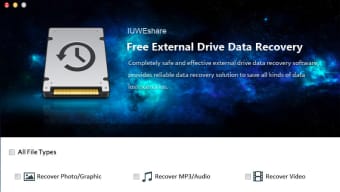


Download Mac External Drive Data Recovery – Mac external drive data recovery, recover deleted files, data recovery tool, Mac data recovery software, external drive recovery
Overview
Mac External Drive Data Recovery is a specialized desktop application designed to retrieve lost or deleted files from external storage devices connected to Mac systems. The software targets users who rely on external drives for backup, media storage, or data transfer and have experienced accidental deletion, formatting, corruption, or physical damage to their drives. It is intended for both casual users and professionals who need a reliable solution to recover important documents, photos, videos, audio files, and other critical data.
The tool operates in a non-destructive manner, meaning it does not alter the original drive structure during the recovery process. This ensures that the integrity of the source data remains intact, reducing the risk of permanent data loss. It supports a range of file systems commonly used on Mac external drives, including HFS+, APFS, FAT32, and exFAT, which enhances its compatibility with various drive types such as USB, SD, and FireWire devices.
Real-world usage scenarios include recovering photos from a corrupted SD card after a photo shoot, retrieving project files from a formatted external drive, or restoring lost documents after accidental deletion. The software’s portability—offering a no-installation version—makes it ideal for use on multiple Mac systems or in emergency recovery situations. The developer, MacRecovery, has positioned this tool as a focused, efficient solution for Mac-based data recovery needs.
Key Features & Capabilities
- Recovery of deleted or lost files – The software enables users to recover files that have been accidentally deleted or lost due to system errors, formatting, or corruption.
- Support for multiple file types – It handles a broad range of file formats, including images, videos, audio files, documents, and other common data types, ensuring comprehensive recovery.
- Fast scanning and recovery process – Designed to perform rapid scans of external drives, minimizing downtime and allowing users to quickly assess recoverable data.
- Preview of recovered files – Users can preview files before restoration, helping to verify their integrity and relevance prior to recovery.
- Compatibility with multiple drive types – Supports USB, SD, and FireWire external drives, making it suitable for diverse hardware environments.
- Non-destructive recovery process – The tool operates without modifying the original drive, preserving data structure and reducing the risk of further damage.
- User-friendly interface – Designed with both beginners and professionals in mind, offering intuitive navigation and clear step-by-step guidance.
- Recovery from formatted, corrupted, or damaged drives – Capable of restoring data from drives that have been reformatted, corrupted, or physically compromised.
- Portable version available – No installation required, allowing the software to be run directly from the drive or USB stick, ideal for emergency use.
- File system support – Fully compatible with HFS+, APFS, FAT32, and exFAT, ensuring broad functionality across Mac external storage devices.
User Interface, Workflow & Performance
The user interface of Mac External Drive Data Recovery is structured to prioritize clarity and ease of use. The main window presents a clean layout with clearly labeled options for drive selection, scan initiation, and file preview. Navigation is straightforward, guiding users through a logical workflow: connect the drive, select it from the list, start the scan, preview results, and restore selected files.
Workflow efficiency is enhanced by the tool’s ability to quickly identify and categorize recoverable files, reducing the time spent sifting through irrelevant data. The preview function allows users to verify file contents before committing to restoration, minimizing the risk of recovering corrupted or incorrect files.
Performance details were not specified by the developer. However, based on general software behavior, the tool is expected to operate efficiently within standard Mac system resources. The 45 MB file size suggests a lightweight application, which typically correlates with low CPU and RAM usage during operation. The developer did not provide additional system requirements or performance benchmarks.
Compatibility & System Requirements
Mac External Drive Data Recovery is designed for macOS systems. The software is compatible with Mac computers running the operating system, though specific version requirements were not listed. The application has a file size of 45 MB, indicating a compact footprint suitable for portable use.
It supports a variety of external drive types, including USB, SD, and FireWire devices, and is capable of recovering data from drives formatted with HFS+, APFS, FAT32, and exFAT file systems. This broad compatibility enhances its utility across different hardware configurations and use cases.
Exact system requirements were not listed. The developer did not specify minimum CPU, RAM, or disk space needs. Compatibility information is limited to the OS and drive types mentioned. Users are advised to ensure their Mac system meets standard operational requirements for running third-party applications.
Pros and Cons
Pros
- Non-destructive recovery process ensures data safety
- Supports multiple file systems and drive types
- Fast scanning and intuitive file preview
- Portable version available – no installation needed
- User-friendly interface for all skill levels
- Effective for formatted, corrupted, or damaged drives
- Comprehensive file type support
Cons
- Price point may be high for casual users
- No information on system requirements
- Performance metrics not provided
- Limited details on update frequency or support
- Only available for Mac – no cross-platform support
FAQ Section
Is Mac External Drive Data Recovery compatible with all Mac models?
The software is designed for macOS, but specific Mac model compatibility was not provided. It should work on Macs running the supported operating system, though exact hardware requirements are not listed.
Can I use this software without installing it?
Yes, a portable version is available, allowing the software to be run directly from the external drive or USB without installation.
Is the recovery process safe for my original data?
Yes, the tool uses a non-destructive recovery method, meaning it does not write to or alter the original drive during the scan and recovery process.
Does the software support recovery from SD cards and USB drives?
Yes, it supports recovery from various external drive types, including USB, SD, and FireWire devices.
What file systems does the software support?
It supports HFS+, APFS, FAT32, and exFAT file systems, which are commonly used on Mac external storage devices.
Final Thoughts + CTA
Mac External Drive Data Recovery presents a focused, efficient solution for users facing data loss on external Mac drives. Its non-destructive recovery approach, combined with support for multiple file types and drive formats, makes it a strong contender in the data recovery space. The inclusion of a portable version and a user-friendly interface further enhances its accessibility for both novice and experienced users.
While the lack of detailed system requirements and performance data limits deeper evaluation, the software’s core functionality appears robust and well-targeted. For professionals and individuals who depend on external storage for critical data, this tool offers a reliable path to recovery without the need for complex technical knowledge.
With a clear purpose, strong compatibility, and a secure workflow, Mac External Drive Data Recovery stands out as a dependable choice for Mac users in need of a trustworthy data recovery solution.
Download Mac External Drive Data Recovery now







